Orders
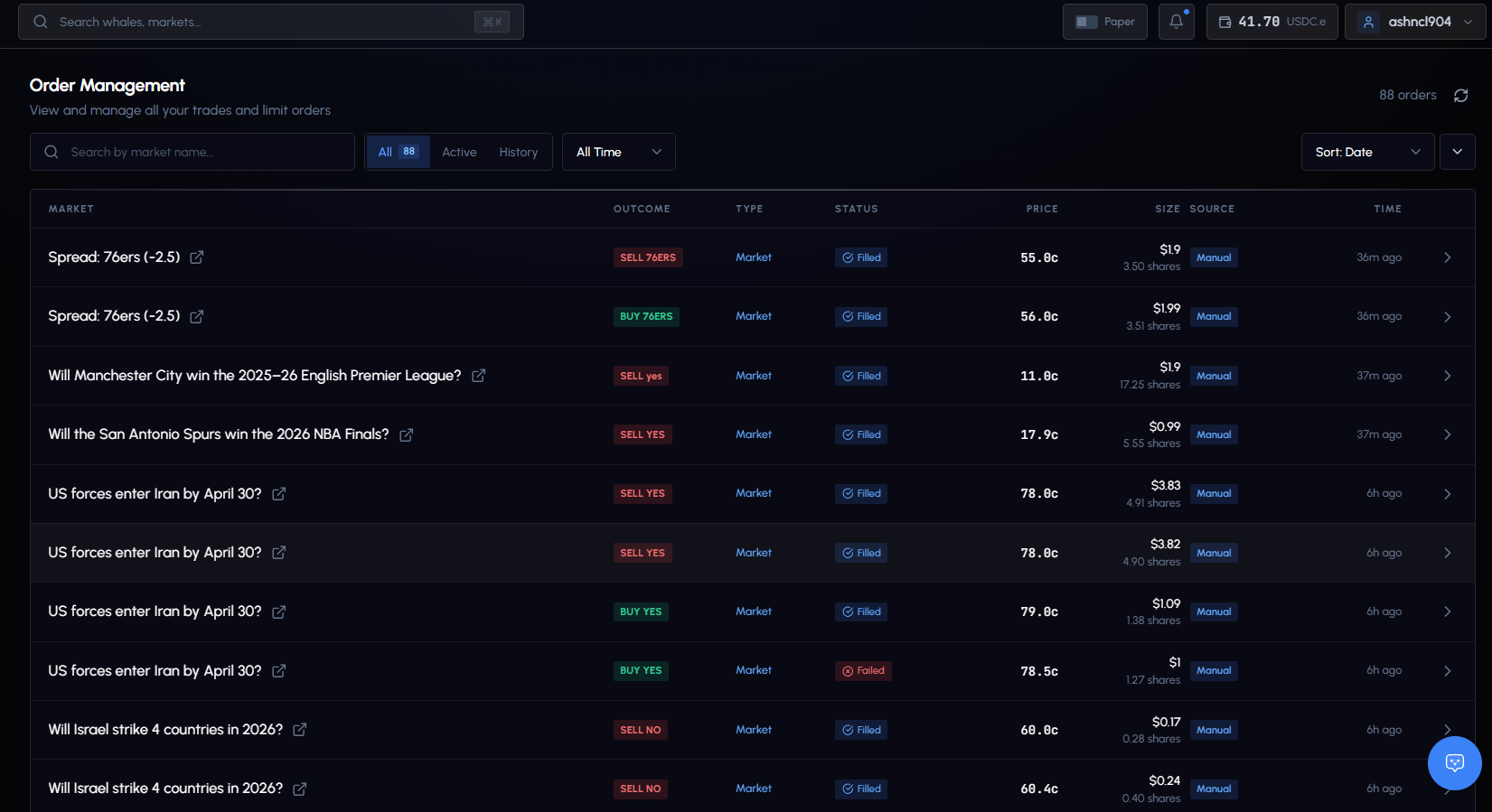
Full visibility into every trade order: manual, copy trading, or conditional order triggers.
Overview Stats
At the top of the page, three summary stats:
| Stat | Description |
|---|---|
| Total Orders | All orders placed |
| Total Volume | Combined USDC value |
| Active Orders | Open limit orders and their total value |
Order Types
| Type | Label | Behavior |
|---|---|---|
| FOK | Market | Fill-or-Kill. Executes at market price or fails entirely. No partial fills. |
| GTC | Limit | Good-Till-Cancelled. Sits on the order book until filled, cancelled, or expired. |
| PAPER | Paper | Virtual order using paper funds. Same execution logic, no real money. |
Filtering
Tabs
| Tab | Description |
|---|---|
| All Orders | Everything |
| Active | Open limit orders waiting to fill |
| History | Filled, Failed, Cancelled, Expired |
Quick Filters
Filter pills at the top for fast narrowing:
- By order type: Limit, Market
- By status: Filled, Failed, Cancelled
Advanced Filters
| Filter | Options |
|---|---|
| Search | By market title |
| Side | Buy or Sell |
| Source | Manual or Copy Trade |
| Period | All Time, Today, This Week, This Month |
Sort By
Date, Value, Price, Size, or Executed. Toggle ascending/descending.
Statuses
| Status | Description |
|---|---|
| FILLED | Completed successfully |
| OPEN | Limit order on the book, waiting to fill |
| FAILED | Execution failed (low liquidity, network issue, etc.) |
| CANCELLED | Cancelled by you or the system |
| EXPIRED | Limit order expired without filling |
Order Details
Click any order row to expand full details:
| Field | Description |
|---|---|
| Order ID | Unique identifier (copyable) |
| Fill Status | Whether the order filled completely |
| Order Type | Market (FOK) or Limit (GTC) |
| Slippage % | Difference between requested and actual execution price |
| Latency | Milliseconds from submission to execution |
| Requested Price | The price you wanted |
| Execution Price | The price you actually got |
| Fee | Trading fee amount |
| Transaction Hash | Clickable link to Polygonscan |
| Timestamps | Creation and execution times |
Settlement Info
For resolved markets, the expanded detail also shows:
- Outcome: WON or LOST
- Settlement P&L: Your profit or loss
- Settled time: When the settlement processed
Copy Trade Attribution
For orders that came from copy trading:
- Source badge: “Copy” label
- Whale address: The trader whose trade was copied (clickable link to their profile)
Actions on Open Orders
| Action | Description |
|---|---|
| Cancel Order | Cancel a pending limit order (confirmation required) |
| View on Polymarket | Open the market externally |
| View on Polygonscan | View the transaction on the block explorer |
Order Sync
GodEye syncs all open orders against Polymarket’s order book when you load the page:
- Filled orders are updated to reflect current status
- Orders no longer on the book are marked as expired
- Transaction hashes are pulled from trade history
What you see is always current. No manual action needed.
Paper Orders
When Paper Mode is active, a banner indicates you’re viewing paper orders. Paper orders use the same execution logic with virtual funds. Toggle between paper and real via the top bar switch.