AI Assistant
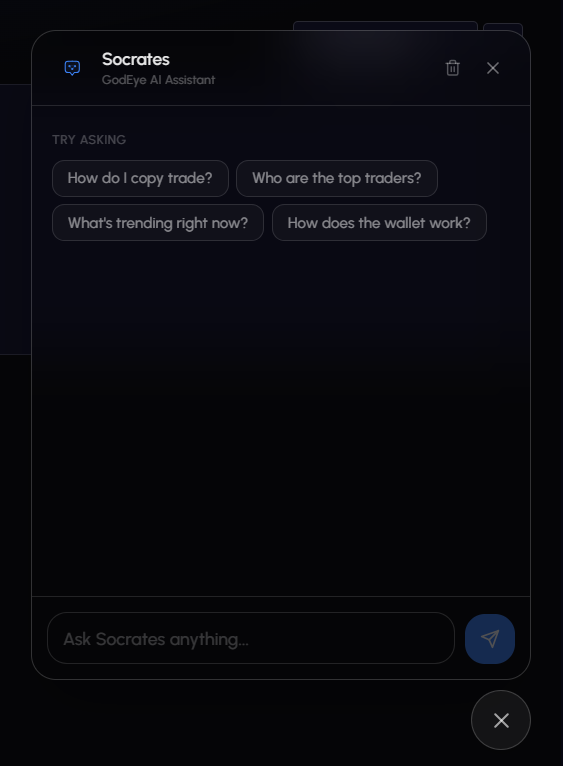
GodEye includes a built-in AI assistant called Socrates. It answers platform questions, searches for traders and markets, and guides you through features.
Access
Click the chat icon in the bottom-right corner of any page.
| Platform | Behavior |
|---|---|
| Desktop | Opens as a side panel |
| Mobile | Opens full-screen |
| Position | Draggable, position remembered between sessions |
What Socrates Can Do
Answer Platform Questions
Ask about any feature:
- “How do I set up copy trading?”
- “What’s the difference between stop-loss and trailing stop?”
- “How does the tier system work?”
- “How do I deposit from Ethereum?”
Socrates has access to a comprehensive knowledge base covering every part of the platform.
Search Traders
- “Who are the top whale traders?”
- “Show me traders with the best win rate”
- “Find crypto-focused traders”
Find Markets
- “What markets are trending right now?”
- “Show me popular crypto markets”
Get Alerts
- “What are the latest whale alerts?”
- “Any big trades in the last hour?”
Suggested Questions
First time opening Socrates? You’ll see starter suggestions:
- “How do I copy trade?”
- “Who are the top traders?”
- “What’s trending right now?”
- “How does the wallet work?”
Click any to send it as your first message.
Features
| Feature | Description |
|---|---|
| Conversation history | Saved locally in your browser. Persists across pages and sessions. Clear anytime. |
| Formatted responses | Bold, lists, code blocks, and tables where appropriate. |
| Internal links | Clickable links that navigate you to pages without leaving the app. |
| Message actions | Copy any response. Thumbs up/down for feedback. |
| Streaming | Responses appear in real time as they generate. |
Tips
- Be specific. “Show me whale traders in crypto with over 70% win rate” beats “find traders”.
- Ask follow-ups. Context is maintained within the conversation.
- Use it for navigation. Not sure where something is? Ask.
Limitations
- Cannot execute trades or modify your settings
- Market prices may be slightly delayed vs live UI
- AI-powered: verify important details in the platform UI