Getting Started
No browser extensions. No MetaMask. Sign up and start trading in under 5 minutes.
Create an Account
GodEye uses Privy for authentication. Sign in with Email, Google, Twitter, or Discord. A secure embedded wallet is created automatically.
Browsing is free. You only need to sign in to trade, copy trade, or use paper trading.
Wallet Setup
Complete this one-time setup before trading. Every step is gasless: zero fees.
| Step | Action | What Happens |
|---|---|---|
| 1 | Create Signing Key | Generates a secure key pair for signing your transactions |
| 2 | Deploy Safe Wallet | Deploys your personal Safe smart wallet on Polygon (one click) |
| 3 | Enable Trading | Approves USDC so the platform can execute trades on your behalf |
A Quick Setup button runs all three steps automatically if you prefer.
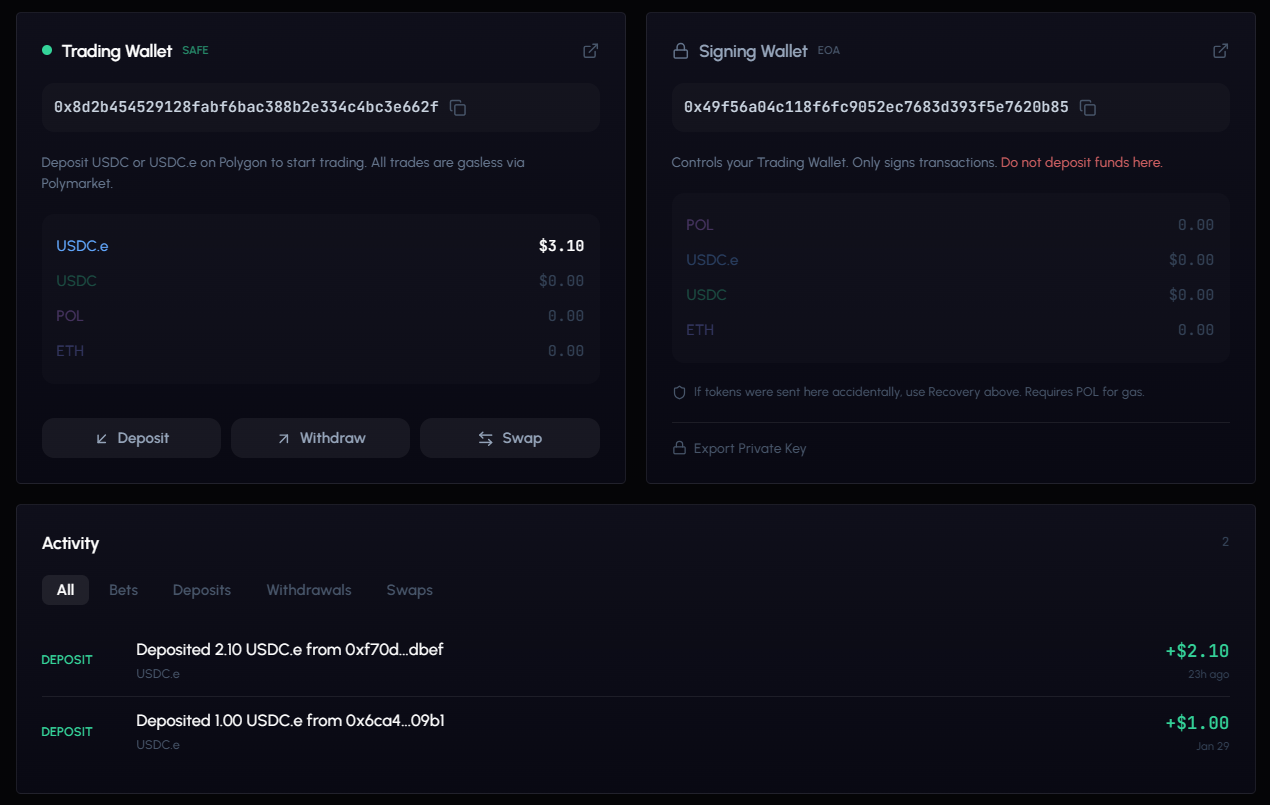
After setup, your Safe wallet address is displayed. This is where you deposit funds.
Two-Wallet System
GodEye manages two wallets behind the scenes. You don’t interact with them directly.
| Wallet | Purpose |
|---|---|
| Auth Wallet (EOA) | Your identity, linked to your login via Privy |
| Safe Wallet | Holds your USDC funds. You control it. |
Fund Your Wallet
Two options to get USDC into your trading wallet.
Bridge from Any Chain (Recommended)
The built-in bridge supports 14+ blockchains. Tokens are automatically converted to USDC on Polygon.
Supported chains: Ethereum, Base, Arbitrum, Polygon, Optimism, BNB Chain, Solana, Bitcoin, Tron, HyperEVM, Monad, Abstract, Ethereal, and more.
- Open the Wallet page and click Deposit.
- Select your source chain (where your funds are).
- Select your token (USDC, USDT, ETH, SOL, etc.).
- Review the fee breakdown: gas cost, swap impact, guaranteed minimum.
- Copy the deposit address and send from your external wallet.
- Track the 4-stage progress: Deposit Detected > Processing > Sending to Polygon > Complete.
Most deposits arrive within 2-5 minutes. See Wallet & Deposits for the full guide.
Direct USDC on Polygon
Already have USDC on Polygon? Send it directly to your Safe wallet address shown on the Wallet page.
Only use the Polygon network for direct sends. Wrong network = lost funds. The bridge handles chain routing for you.
Your First Trade
- Explore the Leaderboard. Browse traders. Filter by tier (Whale, Gold, Silver, Bronze) and sort by profit or win rate.
- Analyze a trader. Click any name to see their full profile: P&L charts, win rate, insider score, behavioral analysis, and trade history.
- Paper trade first. Toggle Paper Mode in the top bar. You get $10,000 virtual USDC. Place bets or set up copy configs with zero risk.
- Go live when ready. Turn off paper mode, fund your wallet, and create real configs with the same settings you tested.
Always test with paper trading first. Same real market prices, zero risk.
Navigation
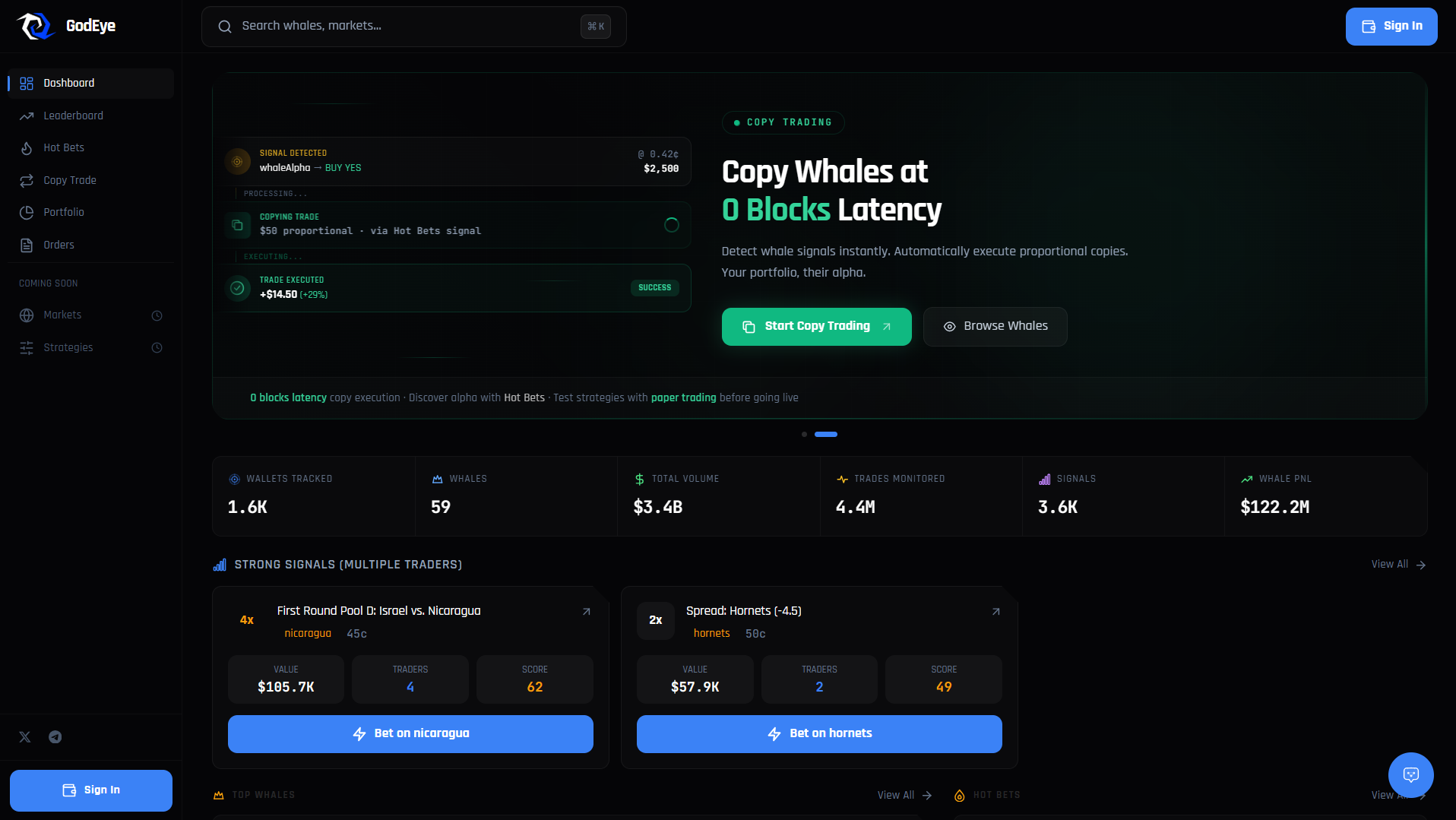
Sidebar (Desktop)
The left sidebar gives you access to every page:
| Page | Description |
|---|---|
| Discover | Home dashboard: trending whales, hot bets, signals, platform stats |
| Portfolio | Your P&L charts, analytics, trading heatmap |
| Leaderboard | Browse and filter all tracked traders |
| Hot Bets | Real-time large whale trades and strong signals |
| Copy Trade | Create and manage copy trading configurations |
| My Positions | Open and closed positions with conditional orders |
| Orders | Order history, active limit orders, execution details |
| Logs & History | Detailed trade history and copy execution logs |
| Watchlist | Your saved traders with custom nicknames and alerts |
Top Bar
| Element | Description |
|---|---|
| Search | Find any trader, market, or page across the platform |
| Paper/Live toggle | Switch between paper ($10k virtual) and live (real USDC) mode |
| Notifications | Bell icon with unread count. Click to see recent alerts. |
| Connect Wallet | Sign in, view account, manage wallet |
Mobile
Bottom navigation with 5 tabs: Discover, Whales, Hot, Copy, Profile. Everything else is in the hamburger menu (top left).