Copy Trading
When a whale trades, GodEye detects it within seconds and executes the same trade for you, scaled by your settings. Runs 24/7, even when you’re offline.
Setting Up
From the Leaderboard or Profile
- Find a trader on the Leaderboard or open their profile.
- Click Copy.
- Configure your settings (see below).
- Click Start Copy Trading.
Copy Traders You Want!
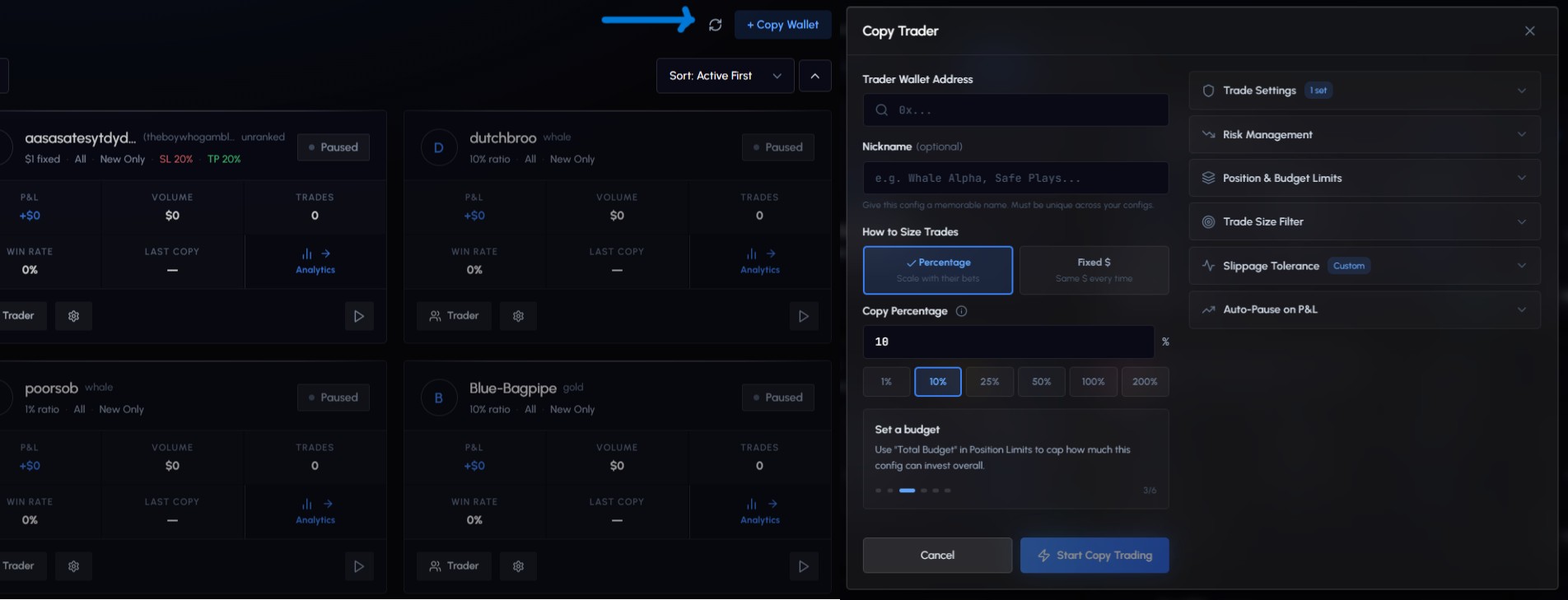
- Open Copy Trade in the sidebar.
- Click New Config.
- Enter the trader’s wallet address (0x format).
- Configure settings and click Start Copy Trading.
Monitoring starts immediately after creation.
If the wallet is flagged as a potential bot (3,500+ trades/week), you’ll see a warning. You can proceed with Copy Anyway at your own risk, but stats and tier data may be unavailable.
After Creation
Once you create a config, one of three things happens:
| Status | What It Means |
|---|---|
| Ready | Config is live and copying trades immediately |
| Analyzing | Wallet history is being analyzed (a few minutes). Copy trading starts automatically once done. |
| Blacklisted | High-frequency bot detected. You can choose Copy Anyway or cancel. |
Configuration
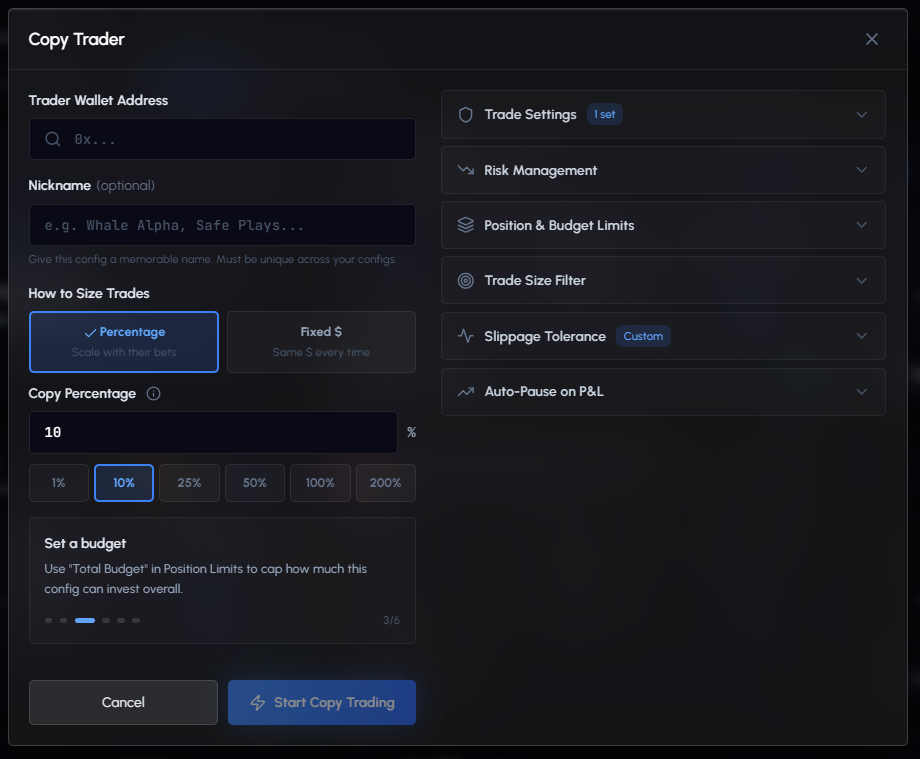
The config form has several sections. Only the core section is required; everything else is optional and starts with sensible defaults.
Core Settings
Trader Wallet Address: The 0x address of the trader you want to copy. Locked after creation (can’t be changed).
Nickname (optional): A memorable name for this config (e.g., “Whale Alpha”, “Safe Plays”). Max 50 characters, must be unique across your configs.
How to Size Trades: Choose between two modes:
| Mode | How It Works | Best For |
|---|---|---|
| Ratio (default) | Copy a percentage of the whale’s bet size. At 10%, if they bet $100, you bet $10. | Scaling with the trader’s conviction |
| Fixed | Bet the same dollar amount every trade, regardless of what the whale bets. | Consistent, predictable position sizes |
Ratio mode presets: 1%, 10%, 25%, 50%, 100%, 200%
Above 100% means you bet more than the trader per trade. A warning is shown.
Fixed mode presets: $5, $10, $50, $100, $200, $500
Trade Settings
What to Copy: Choose to copy Buys & Sells (default) or Buys Only. Use “Buys Only” if you want to manage your own exits rather than auto-selling when the whale sells.
New Markets Only (default: ON): Only copy when the trader enters a brand new market. Skips trades where they’re adding to an existing position. Recommended to avoid averaging into losing trades.
Per-Trade Size Limits (Ratio mode):
| Setting | Description | Default |
|---|---|---|
| Min trade $ | Minimum USDC per trade. Smaller trades are skipped. | $1 |
| Max trade $ | Cap on each individual copy trade. | No limit |
| Min shares | Minimum shares per trade regardless of dollar amount. | 5 |
| Max trades/day | Maximum successful copy trades per day. Resets at midnight UTC. | No limit |
Per-Trade Size Limits (Fixed mode):
| Setting | Description | Default |
|---|---|---|
| Safety cap $ | Cap on each individual copy trade. | No limit |
| Max trades/day | Maximum successful copy trades per day. Resets at midnight UTC. | No limit |
Risk Management
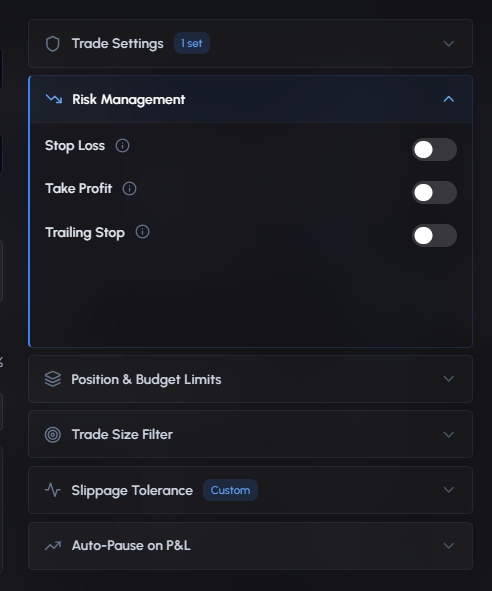
Three conditional order types can be automatically applied to every copied position:
Stop Loss (default: OFF): Auto-sell if price drops by a percentage from entry. Set between 1% and 99%.
Example: 20% SL on a $0.50 entry sells at $0.40.
Take Profit (default: OFF): Auto-sell if price rises by a percentage from entry. Minimum 1%.
Example: 50% TP on a $0.40 entry sells at $0.60.
Trailing Stop (default: OFF): Dynamic stop that follows price up. Set the distance from peak between 1% and 50%.
Example: 10% trail. Price peaks at $0.90, stop sits at $0.81. Price drops to $0.81, auto-sell.
Position & Budget Limits
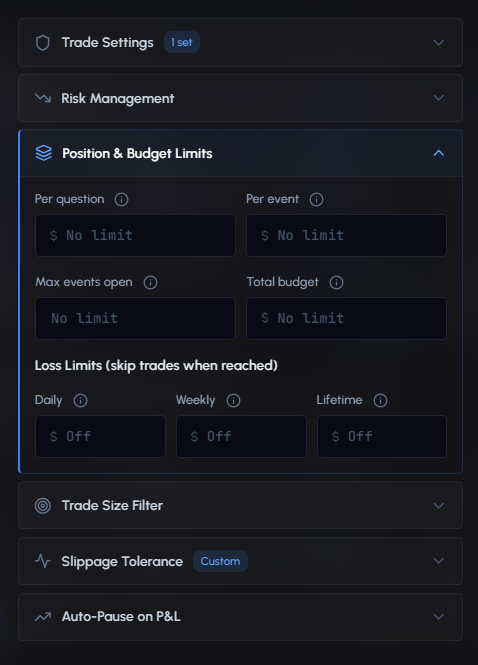
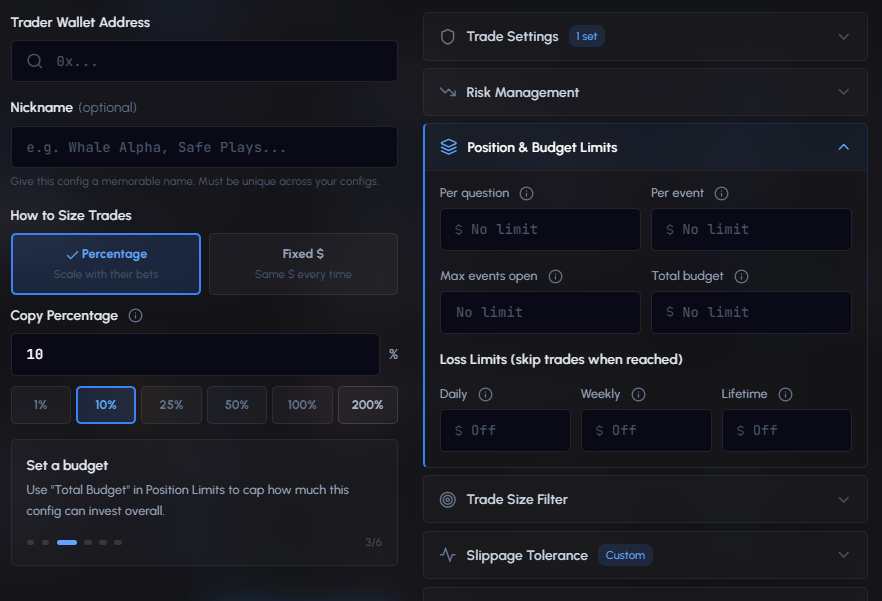
Control your total exposure across this config:
| Setting | Description |
|---|---|
| Per question | Max USDC in one market question (YES + NO combined). Once reached, new buys are capped. |
| Per event | Max USDC across all questions in one event. E.g., $200 for “Election” caps total across all candidates. |
| Max events open | Max different events with open positions. Keeps you diversified. |
| Total budget | Total USDC budget for this config. No more buys once reached. |
Loss Limits (skip trades when reached):
| Limit | Description | Resets |
|---|---|---|
| Daily | Stop copying today if realized losses exceed this amount | Daily |
| Weekly | Stop copying this week if realized losses exceed this | Weekly |
| Lifetime | Permanently stop copying if lifetime losses exceed this | Never |
Trade Size Filter
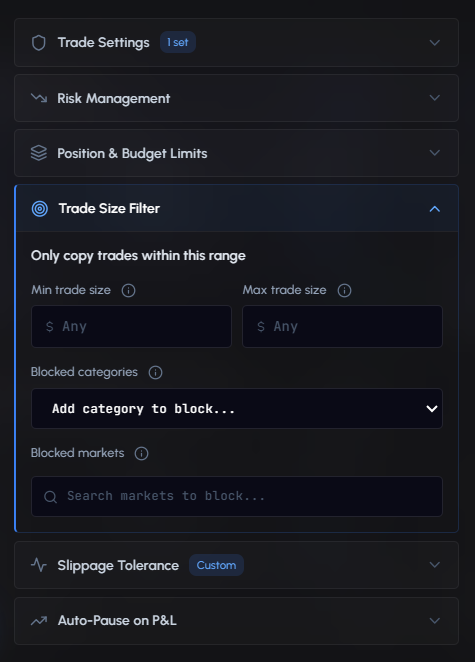
Filter out trades based on the whale’s trade size or share price:
| Setting | Description |
|---|---|
| Min trade size $ | Skip small noise trades. E.g., $100 to ignore trades under $100. |
| Max trade size $ | Skip extremely large trades. Useful to avoid outsized or unusual bets. |
| Min share price ¢ | Skip trades where the whale’s share price is below this (1¢–99¢). |
| Max share price ¢ | Skip trades where the whale’s share price is above this (1¢–99¢). |
Share Price Range — Why It Matters
Polymarket shares are priced between 1¢ and 99¢, representing the implied probability of an outcome. Extreme prices mean:
- Near 0¢ — The market is almost certain to resolve NO. There’s very little upside and thin liquidity on the sell side.
- Near 99¢ — The market is almost certain to resolve YES. Same problem — thin liquidity, so market orders often fail to fill.
If a whale buys at 99¢ and your copy trade tries to follow, it will likely get rejected with “order couldn’t be fully filled” because there’s no liquidity at that price point.
Example: Set Min = 20¢, Max = 80¢
- Whale buys at 50¢ → ✅ Copied
- Whale buys at 99¢ (near-certain market) → ⛔ Skipped (outside range)
- Whale buys at 5¢ (long shot) → ⛔ Skipped (outside range)
Important: The share price filter only applies to BUY trades. Sell trades are never blocked — otherwise you could get stuck holding a position when the whale exits at an extreme price.
Blocklist
Separate from size/price filters — completely exclude certain categories or specific markets from being copied:
Blocked categories: Select market categories to never copy (e.g., block Sports if you only want Crypto and Politics).
Blocked markets: Search and block specific markets by title.
Slippage Tolerance
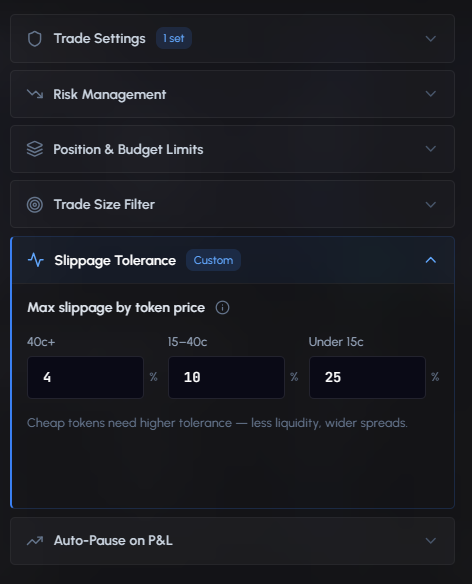
Maximum price movement allowed between order and fill. Different thresholds by token price since cheaper tokens have less liquidity:
| Token Price | Default Slippage | Why |
|---|---|---|
| 40c+ (high) | 4% | Liquid, tight spreads |
| 15-40c (mid) | 10% | Moderate liquidity |
| Under 15c (low) | 25% | Thin liquidity, wide spreads |
Auto-Pause on P&L
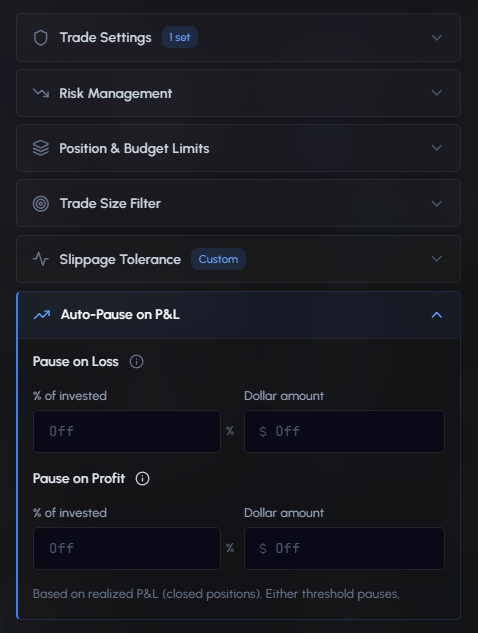
Automatically pause the config based on realized P&L:
Pause on Loss: Set a percentage of invested amount or a dollar amount. When realized losses hit the threshold, the config pauses.
Pause on Profit: Set a percentage of invested amount or a dollar amount. When realized profits hit the target, the config pauses to lock in gains.
Both thresholds are based on realized P&L (closed positions only). Either one triggers the pause.
Managing Configs
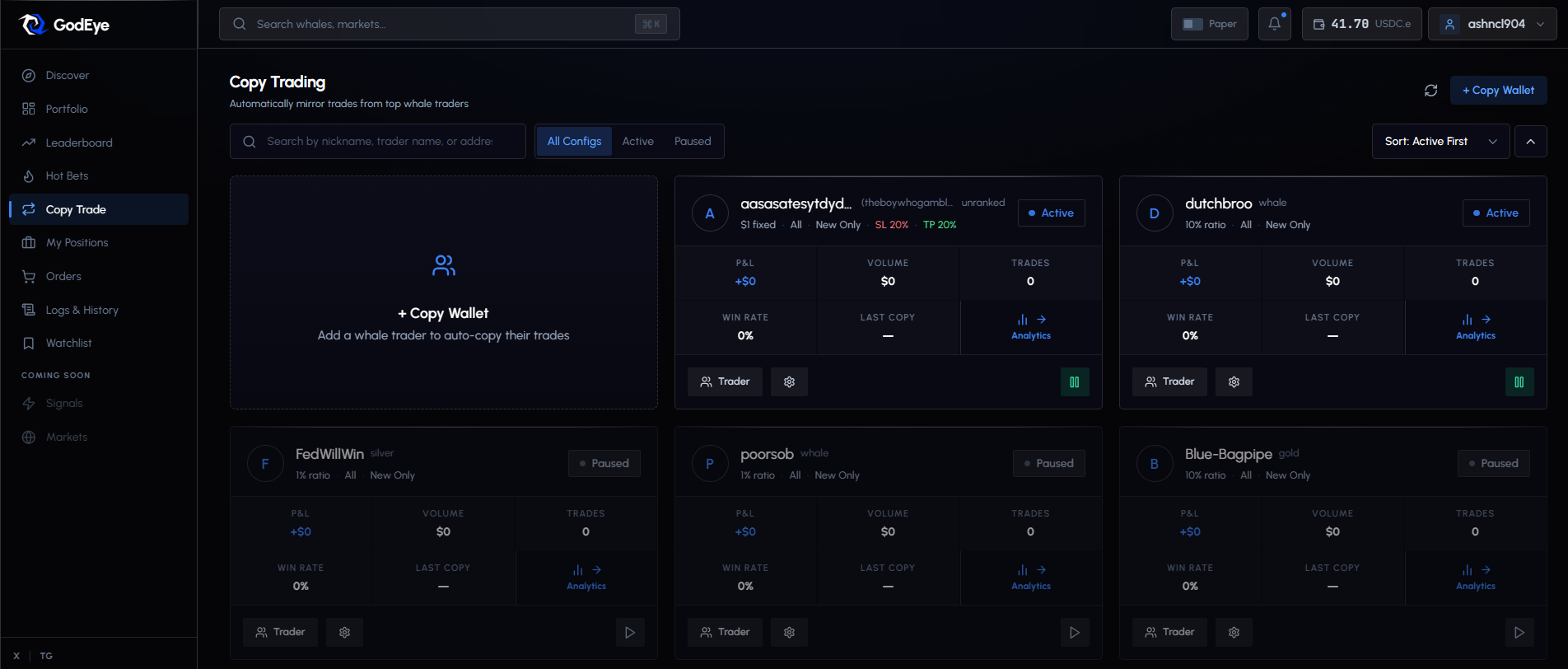
The Copy Trade page shows all your configurations.
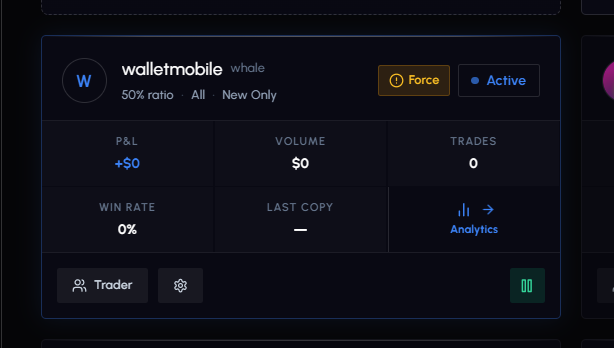
Each card displays: Trader name/address, tier badge, P&L, volume, win rate, trade count, last copy time, status (Active/Paused), and a summary of key settings (max bet, min shares, stop loss, buy/sell filter).
Actions
| Action | Description |
|---|---|
| Pause | Stop copying temporarily. Existing positions are unaffected. |
| Resume | Restart copying. |
| Edit | Modify any setting on an active config. |
| Close All | Sell all open positions from this config at market price. |
| Delete | Remove the config permanently. Does not close open positions — manage those from the Positions page. |
| View Trader | Go to the trader’s profile page. |
Click into any config for detailed stats, recent activity, and current settings.
Copy Logs
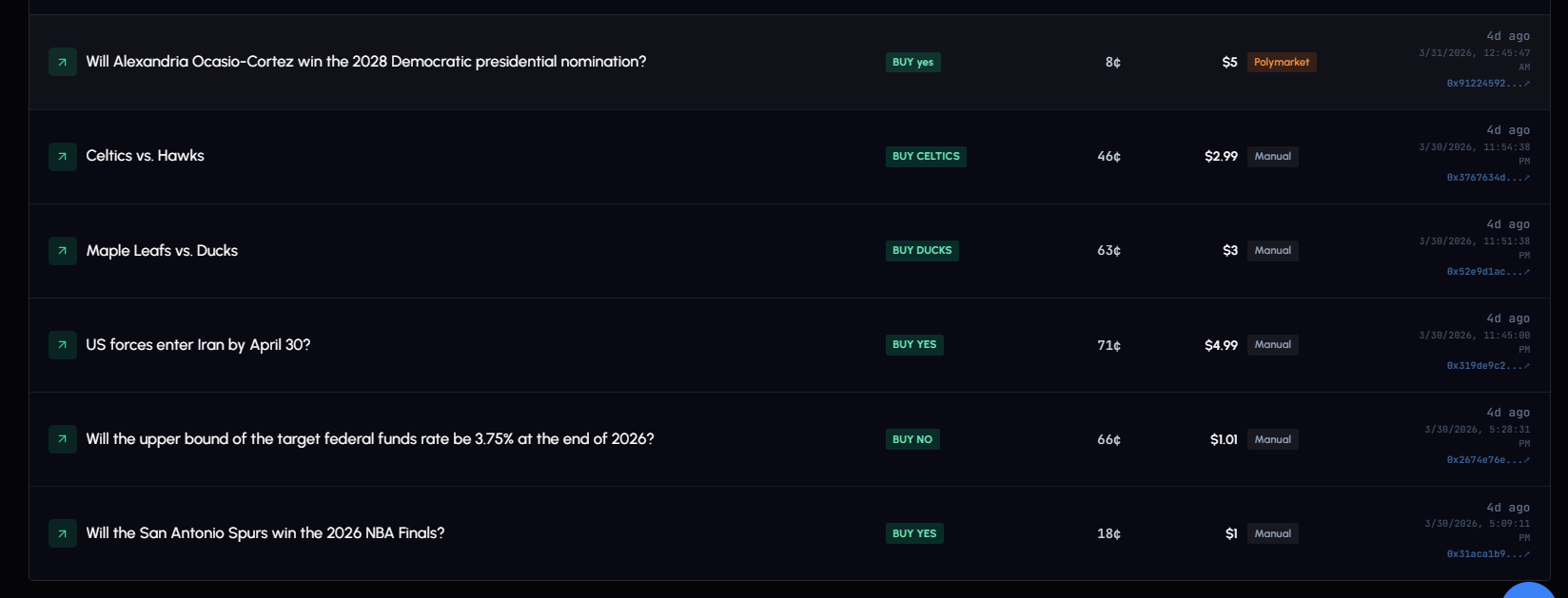
Every copy attempt is logged with full transparency. View them on the Logs & History page (Copy Logs tab) or within a specific config.
Each entry shows: market, side (BUY/SELL), your copy value, whale’s value, slippage %, latency (ms), status, and timestamp. Click any log to expand execution details.
Filter by config or by status (Success, Partial, Failed, Skipped).
Log Statuses
| Status | Description |
|---|---|
| Success | Trade copied and filled |
| Partial | Trade partially filled |
| Failed | Execution failed (error shown) |
| Skipped: Duplicate | Trade already processed |
| Skipped: Filter | Doesn’t match your buy/sell or category filter |
| Skipped: Size | Below your min trade size or above max |
| Skipped: Slippage | Price moved beyond your slippage tolerance |
| Skipped: Balance | Not enough USDC in your wallet |
| Skipped: Risk Limit | Daily/weekly/lifetime loss limit reached |
| Skipped: Paused | Config is paused |
| Skipped: Market Closed | Market no longer accepting orders |
| Skipped: Max Positions | Max events open limit reached |
| Queued | Trade queued for execution |
Too many “Skipped: Balance”? Deposit more funds. Too many filter skips? Your settings may be too restrictive. Review logs regularly.
Best Practices
- Test with paper mode first. Run every new config with virtual funds for a few days before committing real money.
- Set a max bet size. Prevents any single trade from being disproportionately large.
- Use a stop loss. 20-30% gives the strategy room while protecting against major drawdowns.
- Set a total budget. Limits overall exposure for this config.
- Enable “New Markets Only”. Avoids averaging into losing positions.
- Diversify. Run multiple configs across different traders and categories.
- Use trade size filters. Filter out noise (tiny trades) and outliers (unusually large trades).
- Check logs regularly. Watch for high slippage or frequent skips.
- Start conservative. Begin at 10% ratio or $10 fixed, scale up once results confirm.